Not long ago, opening a Demat account meant assembling a physical folder — passport photographs, photocopied PAN cards, address proof documents, bank statements, and cancelled cheques — submitting them in person, and then waiting. The process was functional but slow, paper-heavy, and dependent entirely on physical verification that could stretch over days.
DigiLocker changed that equation quietly but completely. Today, an investor can open a fully functional Demat account without printing a single document, visiting a single office, or handing over a single photocopy. DigiLocker is the infrastructure that makes this possible — and understanding exactly how it fits into the account opening process will help you use it with confidence rather than just clicking through it without knowing what’s happening behind the scenes.
What DigiLocker Actually Is
DigiLocker is a digital document storage and sharing platform launched by the Government of India under the Digital India initiative. It is operated by the Ministry of Electronics and Information Technology and is directly linked to Aadhaar — meaning your DigiLocker account is authenticated through your Aadhaar number and registered mobile number.
The platform serves two distinct functions that are both relevant to Demat account opening.
First, it acts as a personal document locker where you can store digitally issued documents — your PAN card, Aadhaar, driving licence, vehicle registration, educational certificates, insurance policies, and dozens of other government-issued documents. These documents can be downloaded and shared from within the app.
Second, and more importantly for financial applications, DigiLocker provides real-time access to documents issued directly by government authorities and verified agencies. When a broker accesses your PAN or Aadhaar details through DigiLocker during account opening, they are receiving data straight from the issuing authority — NSDL or the Unique Identification Authority of India — rather than relying on a scanned copy you’ve provided. This eliminates the possibility of document forgery and dramatically speeds up verification.
How DigiLocker Integrates With the Demat Account Opening Process
When you initiate a Demat account application through a broker’s digital platform today, DigiLocker integration typically appears at the document submission stage. Rather than uploading scanned copies of your PAN and Aadhaar, you are given the option to fetch these documents directly from DigiLocker.
The flow works like this. You grant permission to the broker’s platform to access your DigiLocker. This requires you to authenticate your DigiLocker account using your Aadhaar-linked mobile number and OTP. Once authenticated, the platform pulls your verified documents directly from DigiLocker — your e-PAN from NSDL’s records, your Aadhaar XML or e-Aadhaar, and any other required documents — without you having to manually upload anything.
The broker receives digitally signed, government-verified documents rather than user-uploaded files. This single step eliminates the most common source of delays and rejections in Demat account applications — document quality issues, mismatched details, or questions about authenticity.
The Specific Documents DigiLocker Provides for KYC
For Demat account opening, the documents typically fetched through DigiLocker are precisely the ones that every broker requires for KYC compliance.
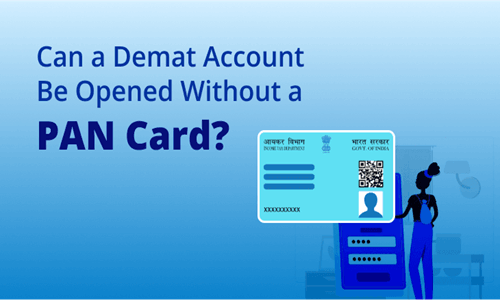
Your e-PAN is available directly through DigiLocker, issued by NSDL and digitally signed. It carries the same legal validity as the physical PAN card and is accepted universally for financial KYC purposes.
Your Aadhaar, available in the masked format that hides the first eight digits for privacy, serves as both identity proof and address proof simultaneously. The masked Aadhaar fetched through DigiLocker is a government-issued document and satisfies both KYC requirements in a single step.
For investors who need to provide additional address proof — perhaps because their Aadhaar address is outdated — other documents such as a driving licence are also available in DigiLocker for many users who have linked them.
DigiLocker and Video KYC — A Powerful Combination
The most seamless Demat account opening experience today combines DigiLocker for document submission with Video KYC for identity verification. Together, these two digital tools eliminate every component of the traditional physical process.
DigiLocker handles the document layer — providing verified, digitally signed PAN and Aadhaar data without manual uploads. Video KYC handles the physical verification layer — confirming through a live video call that the person applying is genuinely who the documents say they are.
The result is an end-to-end paperless process that can be completed in under thirty minutes from any smartphone with a working camera and internet connection. No printing. No scanning. No courier. No branch visit. Just a digital journey from blank form to live Demat account.
Privacy and Consent: How Your Data Is Protected
A reasonable concern for any investor is what happens to the documents shared through DigiLocker during account opening. The framework is built on explicit, revocable consent.
When a broker requests access to your DigiLocker, you see a clear consent screen listing exactly which documents are being requested and for what purpose. You approve each access individually. The data shared is used exclusively for KYC verification and must be handled in accordance with the broker’s privacy policy and SEBI’s data protection guidelines for registered intermediaries.
Importantly, DigiLocker does not give brokers permanent access to your document store. Each access is a one-time pull based on a specific consent session. Once the KYC process is complete, the connection is closed. Your DigiLocker remains under your control at all times.
The masked Aadhaar format — which shows only the last four digits of your Aadhaar number — is specifically designed to protect your biometric identity while still allowing KYC verification to proceed. This masking is a built-in privacy feature of the Aadhaar system and applies automatically when documents are shared through DigiLocker.
Setting Up DigiLocker Before Your Demat Application
If you haven’t used DigiLocker before, setting it up takes about five minutes and is worth doing before you begin your Demat account application.
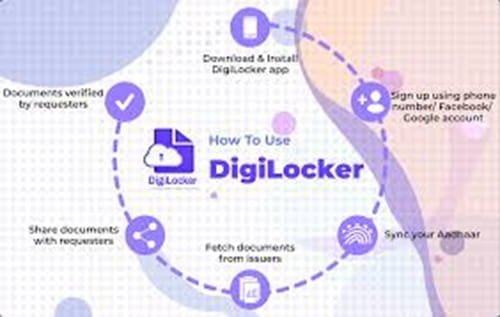
Download the DigiLocker app from the official government platform. Create your account using your Aadhaar number and the mobile number linked to it. Verify through OTP. Once inside the app, your Aadhaar and PAN are typically available immediately in the Issued Documents section — already populated without any manual upload needed.
Check that the documents visible in your DigiLocker have your name, date of birth, and other details exactly matching your PAN card. Any discrepancy here will surface during broker verification and is better resolved before you begin the account opening process.
Frequently Asked Questions (FAQs)
Q1. Is DigiLocker mandatory for opening a Demat account, or can I still submit physical documents?
DigiLocker is not legally mandatory — brokers are required to accept other forms of KYC documentation as well. However, most modern brokers strongly encourage or default to the DigiLocker route because it is faster and more accurate. Physical document submission remains an option, particularly for investors who are not comfortable with digital processes, but it typically results in longer processing times.
Q2. What if my Aadhaar is not linked to my current mobile number? Can I still use DigiLocker?
DigiLocker authentication requires an OTP sent to your Aadhaar-linked mobile number. If your current mobile number is not linked to your Aadhaar, you will not be able to authenticate your DigiLocker account through the standard process. You would need to update your mobile number in Aadhaar at an Aadhaar Seva Kendra before you can use DigiLocker for KYC. Alternatively, you can complete the Demat application through offline KYC with physical documents while simultaneously getting your Aadhaar mobile number updated.
Q3. Does DigiLocker integration mean the broker stores a copy of my Aadhaar permanently?
No. The data fetched from DigiLocker is used for KYC verification and stored as per SEBI’s regulatory requirements for registered intermediaries — which mandate secure storage for compliance purposes. The broker does not have ongoing access to your DigiLocker. The documents shared during account opening are retained as part of your KYC record, consistent with the same requirements that applied when physical documents were submitted.
Q4. Can DigiLocker be used for updating KYC details on an existing Demat account?
Yes. Many brokers now support DigiLocker-based document submission for KYC updates as well — such as when you need to update your address after relocating. The process is identical to the account opening flow — you grant temporary access, the updated document is fetched, and your KYC records are refreshed. This is significantly faster than the older process of submitting a physical address proof and waiting for manual verification.
Q5. Is DigiLocker safe to use for financial document sharing?
DigiLocker is a government-operated platform built with robust security architecture including Aadhaar-based two-factor authentication, SSL encryption, and ISO 27001 certification for information security management. Documents shared through DigiLocker carry a digital signature from the issuing authority, making them tamper-evident. The platform processes millions of document sharing requests monthly across banking, insurance, and financial services — and is considered one of the most secure digital document platforms available in India.