The screen used to access the stock market can change how financial information is presented, even when the underlying trading account remains the same. A desktop browser may display several charts, detailed company information, and account reports simultaneously. A mobile application usually presents these features through smaller screens, simplified menus, and touch-based controls.
In India, many stockbrokers offer both web-based trading platforms and mobile applications. Although these services often connect to the same brokerage account, they are designed for different devices and usage patterns.
The main difference between trading websites and mobile trading apps lies in screen layout, accessibility, navigation, analytical tools, and device-specific features—not necessarily the securities or exchanges available.
Understanding these differences helps explain why the same trading platform can feel substantially different on a computer and a smartphone.
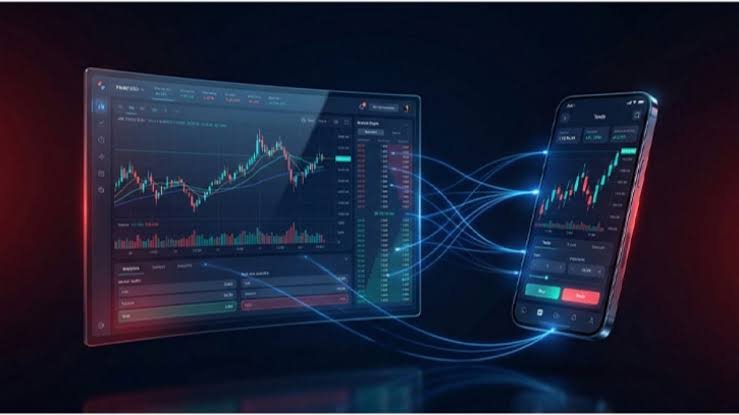
Two Interfaces, One Brokerage Account
A trading website generally operates through a web browser such as Chrome, Firefox, or Edge.
A mobile trading app is software installed on a smartphone or tablet, usually through an official application marketplace.
Both may connect to the same registered stockbroker.
For example, an investor using a broker’s website on a laptop may later open the corresponding mobile application and see the same Demat holdings, subject to account updates and synchronisation.
This happens because the website and app commonly connect to shared brokerage systems.
The interface changes, but the underlying customer account does not necessarily change.
Desktop Screens Provide More Room for Market Information
One of the clearest differences is the amount of information visible at once.
Desktop trading websites can accommodate multiple panels without requiring constant navigation between screens.
Depending on the platform, users may be able to view:
- Price charts alongside market information.
- Multiple watchlists.
- Company announcements and financial data.
- Portfolio holdings and account balances.
- Transaction histories.
- Research reports and analytical dashboards.
A larger display can make detailed information easier to compare.
However, the availability of these features depends on the broker’s platform rather than the device alone.
Mobile Apps Prioritise Convenience and Quick Access
Mobile applications are designed around portability.
A smartphone allows users to access account information without sitting at a desktop computer.
Applications often provide simplified navigation, biometric authentication where supported, and device notifications.
These features can make routine account monitoring convenient.
Nevertheless, convenience introduces limitations.
Smaller screens may require users to switch repeatedly between charts, account information, and other sections.
Important details can also become less noticeable when information is compressed into menus or expandable panels.
Chart Analysis Feels Different on Each Device
Charts are among the most visually demanding features of financial-market platforms.
A desktop browser generally provides more space for examining historical prices and comparing information.
Some websites also support multiple charts on one screen.
Mobile applications may offer similar indicators and charting functions, but touch gestures replace many mouse-and-keyboard interactions.
This can affect how easily users examine particular sections of a chart.
The distinction is primarily about usability.
A larger screen does not automatically produce more accurate financial analysis, and a mobile chart does not inherently provide less reliable market data.
Notifications Create a Different User Experience
Mobile applications can send push notifications directly to a device.
These may include account alerts, transaction confirmations, corporate-action information, or price notifications.
Websites may provide browser notifications, email alerts, or dashboard messages, depending on the platform.
The difference is how frequently and visibly information reaches the user.
Mobile notifications can be useful for important account updates.
However, excessive alerts may also encourage unnecessary attention to short-term price movements.
A well-designed application should allow users to manage notification preferences.
Security Depends on More Than the Device
Both websites and mobile applications can provide secure access when properly designed and maintained.
Indian brokerage platforms commonly use authentication procedures and other security measures to protect customer accounts.
Potential risks differ according to the environment.
On desktop systems, users should be aware of phishing websites, malicious browser extensions, and compromised computers.
On smartphones, risks may include fraudulent applications, excessive app permissions, and unauthorised device access.
Important security considerations include:
- Accessing only the broker’s verified website or official application.
- Using appropriate authentication protections.
- Reviewing login and transaction alerts.
- Keeping devices and applications updated.
- Avoiding suspicious links and unofficial software.
- Understanding account recovery procedures.
Neither mobile nor desktop access is automatically safer in every situation.
Do Websites and Apps Charge Different Brokerage?
Using a browser instead of a mobile application does not necessarily change the brokerage charged for a transaction.
Many Indian brokers apply the same published pricing structure across both interfaces.
However, pricing depends on the intermediary and the service involved.
Certain specialised platforms, subscription tools, or additional services may have separate charges.
Investors should review the broker’s tariff schedule rather than assume that one device automatically provides cheaper transactions.
Comparing Websites and Mobile Apps
| Feature | Trading Website | Mobile Trading App |
| Access | Desktop or mobile browser | Installed smartphone application |
| Screen space | Usually larger on desktop | Usually smaller |
| Navigation | Mouse and keyboard friendly | Touchscreen optimised |
| Charts | Often suitable for detailed layouts | Designed for compact displays |
| Notifications | Browser, email, or dashboard alerts | Push notifications and in-app alerts |
| Portability | Depends on device | Generally convenient while travelling |
| Account information | Broker-dependent | Broker-dependent |
The differences describe common design patterns rather than universal limitations.
Reliability and Internet Connectivity
Both interfaces depend on the broker’s systems and network connectivity.
A website may perform differently across browsers, while a mobile app may be affected by operating-system compatibility or device limitations.
During technical disruptions, switching interfaces may sometimes help if the problem is limited to one application.
However, if the broker’s underlying systems are unavailable, changing devices may not resolve the issue.
Reliable account records and accessible customer support remain important regardless of the interface.
Frequently Asked Questions
Q1. Is a trading website better than a mobile trading app?
A: Neither is universally better. Websites often provide more screen space for detailed information, while mobile apps offer portability and convenient account access.
Q2. Can the same Demat account be accessed through a website and mobile app?
A: Yes, many Indian brokers provide both interfaces for the same customer account, although availability depends on the intermediary.
Q3. Are brokerage charges higher on mobile trading apps?
A: Not necessarily. Many brokers apply identical brokerage schedules across websites and mobile apps. Any differences depend on the provider’s published pricing terms.
Q4. Do mobile trading apps show different stock prices from websites?
A: Platforms connected to the same market-data sources should generally display consistent information, although refresh intervals, data subscriptions, and technical delays can cause temporary differences.
Q5. Which platform is more suitable for studying detailed stock charts?
A: Desktop websites often provide more space for viewing multiple charts and financial information. However, the available analytical features depend on the broker’s software and the user’s requirements.